It's been too long since the last time we worked on real time content for our development. We've had a lot of work with other commercial projects. As you know Archmagia is a self-founded project, so we need to work this way until we find financial support. Anyway, We've been lately working in the third Archmage: the Necromancer.
Before start this post, we would like to show you a video of the modeling process. It is pretty cool to watch our CG artist working, don't you think?
Before start this post, we would like to show you a video of the modeling process. It is pretty cool to watch our CG artist working, don't you think?
If you read our last post, we ended up with the Necromancer's concept art finished and ready to start the modeling process. To summarize, this is the image I am talking about:
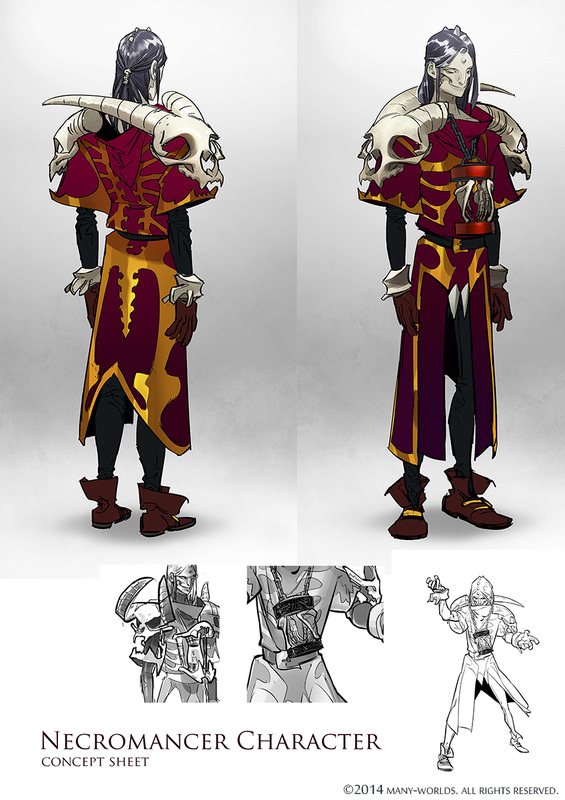
Necromancer's concept art
Character modeling process
Once we have the concept stage finished (that was fully explained here), it is the turn for our CG-artist to start working on giving shape to the new Archmage.
For this, there is a workflow that could be different depending on what is going to be modeled and the programs used by each artist. In this case, we chose to work from a meta-sphere base created with our sculpting program.
For this, there is a workflow that could be different depending on what is going to be modeled and the programs used by each artist. In this case, we chose to work from a meta-sphere base created with our sculpting program.
High polygonization
Once we have created our primitive model, we start sculpting with a system that allows us to freely change the model's morphology while we work, with no polygon restrictions. With this technique, we can dynamic retopology as we go. Its similar to clay modeling.
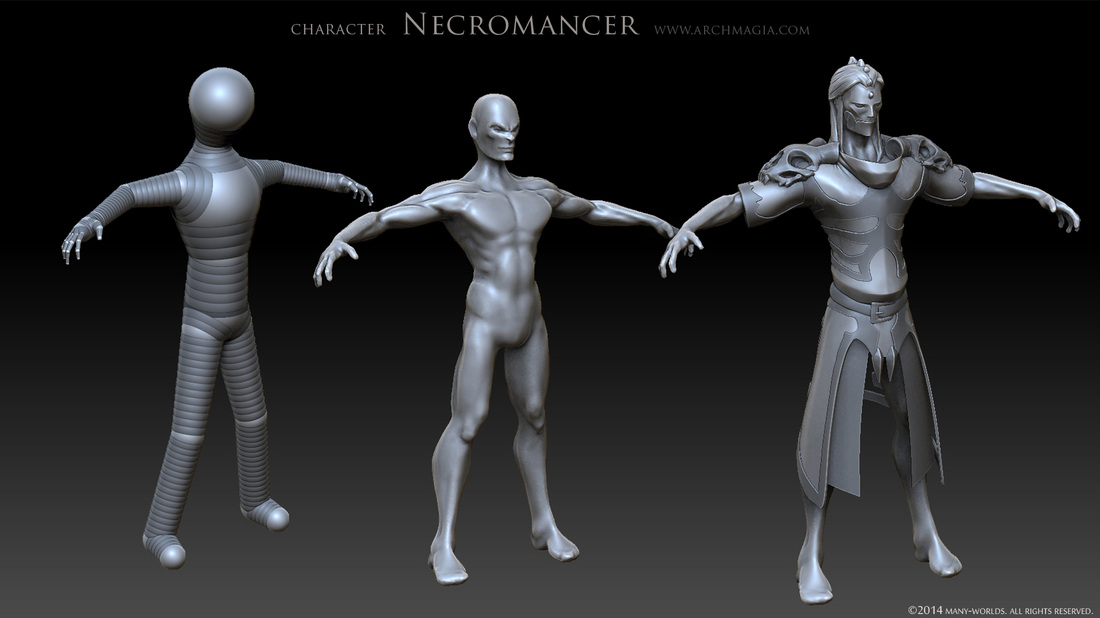
High polygonization modeling process
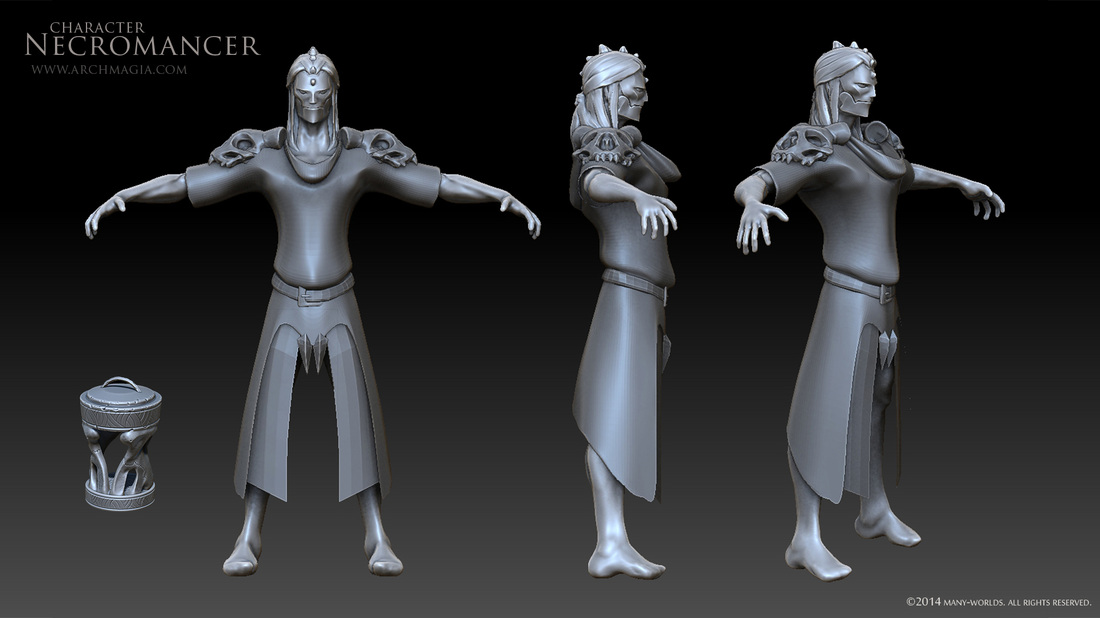
High polygonization final result
Color
In this case, texture painting has been created with vertex color, that will lately be printed according to the low poly model's map thanks to the Xnormal software.
This is how the vertex color looks like:
This is how the vertex color looks like:
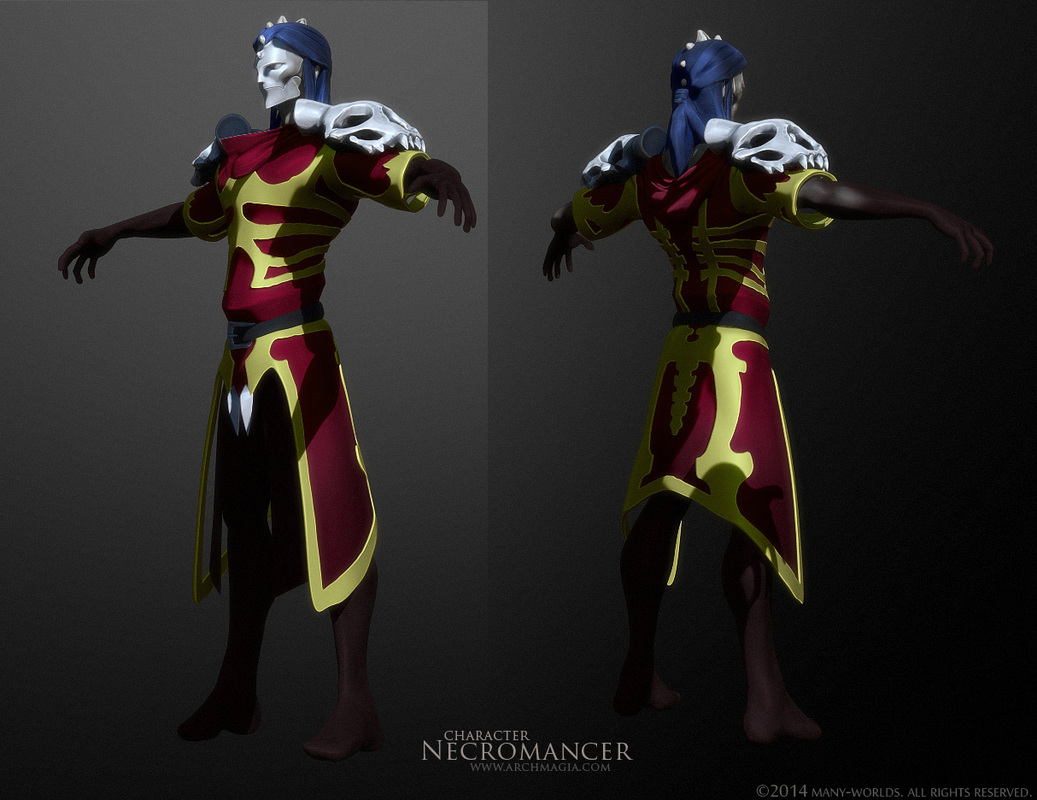
Vertex color for our Archmage
Low polygonization
Once the high poly model is ready, the next step is retopology, meaning to create a low poly model from the actual one, that may have up to several millions of polygons, because hardly any engine would move that huge polycount size.
As soon as we have the low poly model, we unfold the mapping to extract all the information from the high poly model: normal maps, high maps, cavity maps, occlusion maps, etc. That process is similar to peel the polygon skin that is the model itself.
Take a look at how many maps can use a character like this one. Did you ever thought they could be so many?
As soon as we have the low poly model, we unfold the mapping to extract all the information from the high poly model: normal maps, high maps, cavity maps, occlusion maps, etc. That process is similar to peel the polygon skin that is the model itself.
Take a look at how many maps can use a character like this one. Did you ever thought they could be so many?
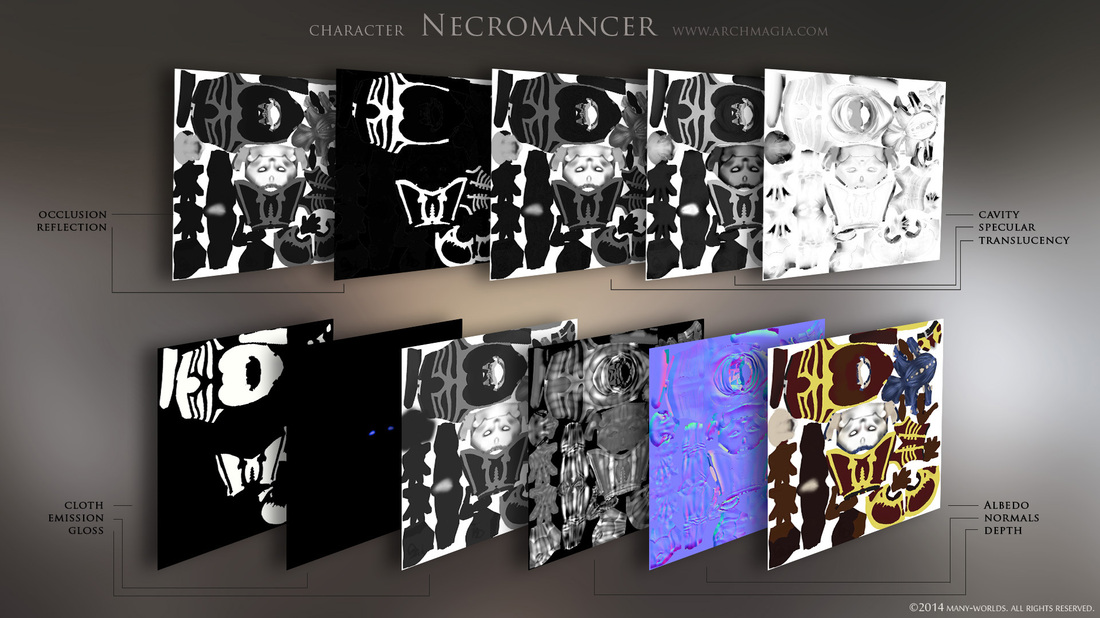
Necromancer's texture set
In the next image, you can see the result of applying all the maps to the low poly model.
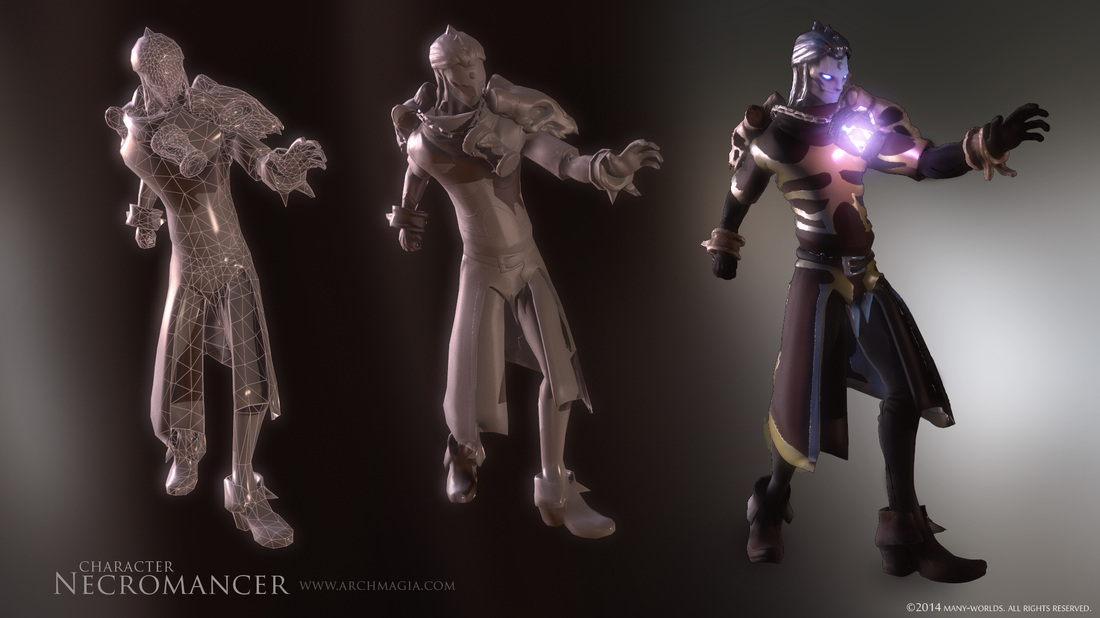
And this is the final result:
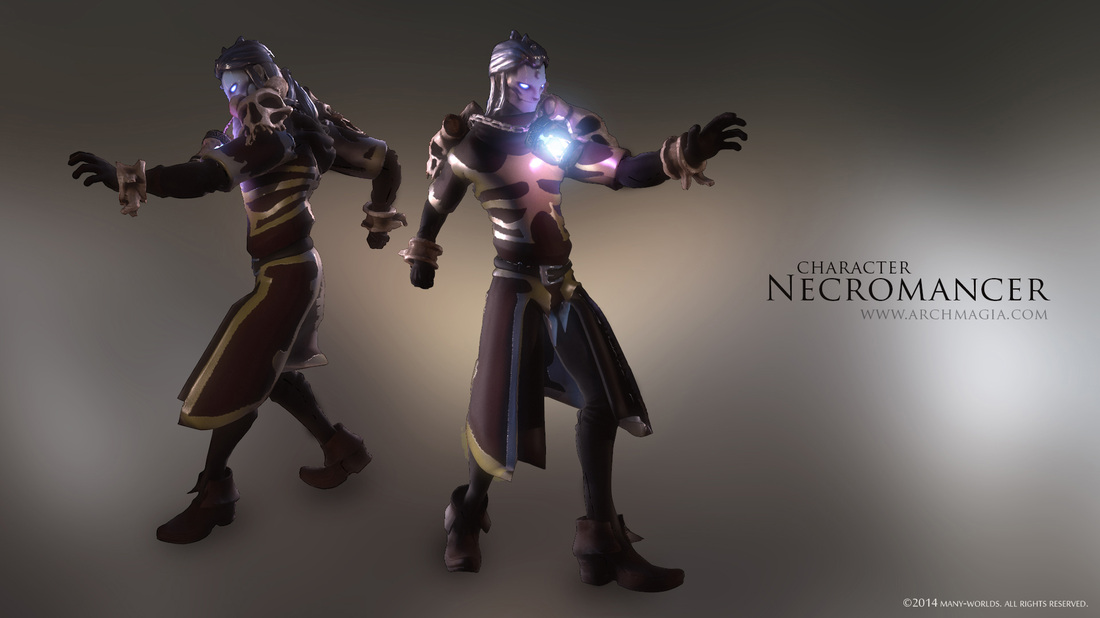
Final result
What do you, guys, think? Would you choose this character as your main Archmage? We really love him, and are willing to see him in action, summoning demons (spoiler: we are already working in some drawings for its main summons!).
We really hope that you have enjoyed our post. It has been a pleasure to share it with you and remember that you can follow our project at this link from Steam Greenlight Concepts, where we publish all the details and try to answer all you questions about Archmagia. If you liked, and you have an Steam account, don't forget to favorite us, to be updated with all the news.
We really hope that you have enjoyed our post. It has been a pleasure to share it with you and remember that you can follow our project at this link from Steam Greenlight Concepts, where we publish all the details and try to answer all you questions about Archmagia. If you liked, and you have an Steam account, don't forget to favorite us, to be updated with all the news.
The Archmagia team


 RSS Feed